Debug panel
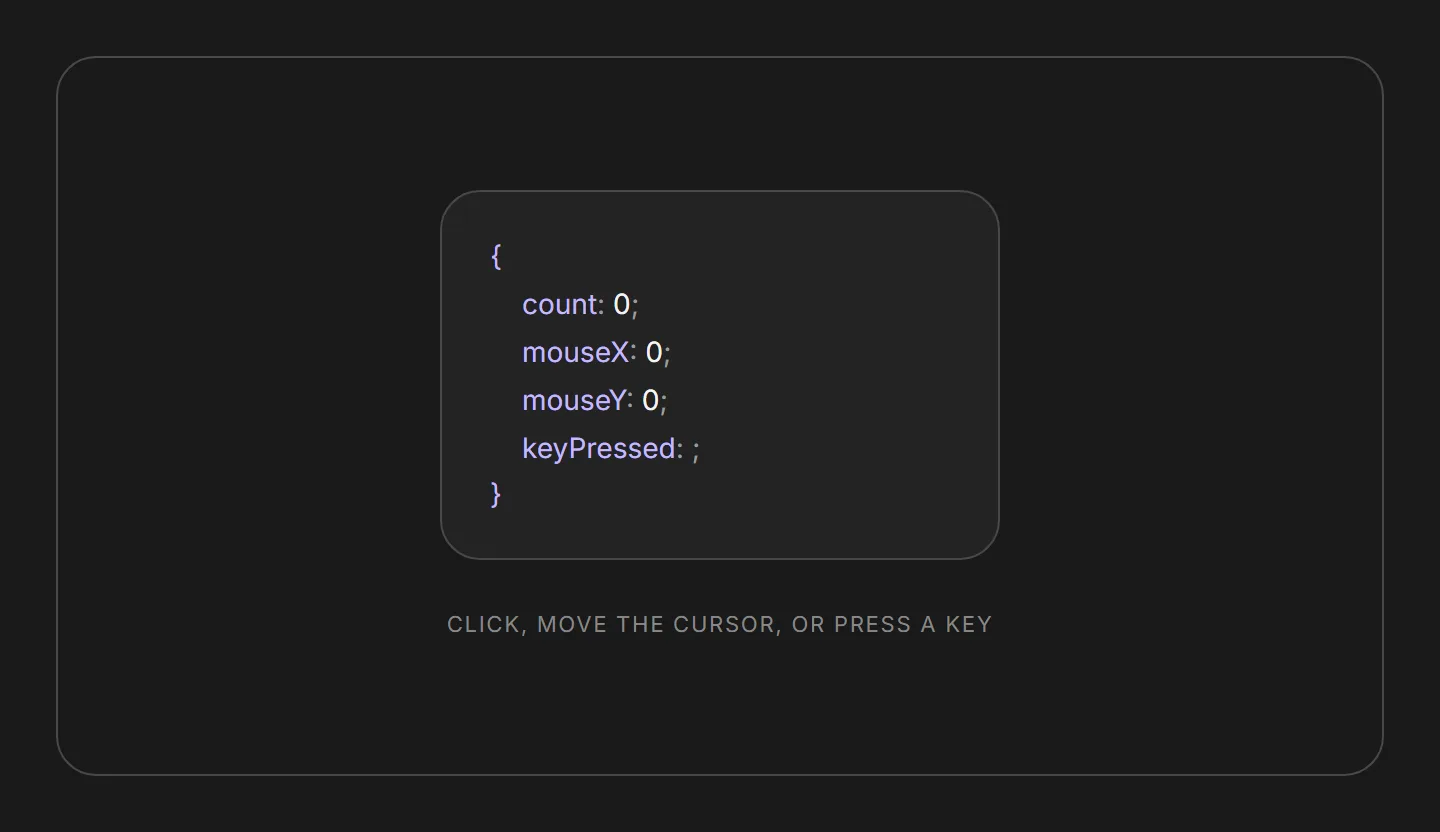
A live readout of your app's runtime state, printed as a JSON object that updates the moment values change. Move your cursor, click, or press a key to watch it react.
Overview
The debug panel is a live, JSON-shaped readout of runtime values. Pass it the pieces of state you want to watch and it prints each on its own key: value; line inside braces, updating in real time as the values change. It is built for demos, walkthroughs, and development, where seeing reactive state move is the point.
Coordinate props are Framer Motion MotionValues rather than plain numbers: the panel subscribes to them directly, so high-frequency updates like cursor position stream to the DOM without re-rendering React on every move.
Installation
Import the pattern from loosethreads:
import { DebugPanel } from "@pulp/loosethreads/patterns"Usage
Wire each prop to the value you want to inspect. Numeric and string values can come straight from state; cursor coordinates use a MotionValue so the readout stays smooth:
import { DebugPanel } from "@pulp/loosethreads/patterns"
import { useMotionValue } from "framer-motion"
import { useState } from "react"

function CursorReadout() {
  const mouseX = useMotionValue(0)
  const mouseY = useMotionValue(0)
  const [count, setCount] = useState(0)

  return (
    <div
      onMouseMove={(e) => {
        mouseX.set(e.clientX)
        mouseY.set(e.clientY)
      }}
      onClick={() => setCount((c) => c + 1)}
    >
      <DebugPanel count={count} mouseX={mouseX} mouseY={mouseY} keyPressed="" />
    </div>
  )
}
Props
| Prop | Type | Default | Description |
|---|---|---|---|
count | number | Required | Numeric value shown on the count row. Typically bound to component state. |
mouseX | MotionValue<number> | Required | Live horizontal cursor coordinate. A Framer Motion value, so updates bypass React re-renders and stream straight to the DOM. |
mouseY | MotionValue<number> | Required | Live vertical cursor coordinate. Same treatment as mouseX. |
keyPressed | string | Required | The most recently pressed key. Pass an empty string when nothing has been pressed yet. |
Anatomy
The panel renders a single object literal. Each prop becomes one line: a periwinkle key, a muted separator, the current value, and a trailing semicolon. String and number values print as text; a MotionValue renders through a motion.span so it can update without a React render pass.
Mixing motion packages breaks live values. A MotionValue from one package will not render inside a motion element from another. Import both from the same framer-motion entry point.
Accessibility
- Labels. Key and separator text sits at the WCAG AA alpha floor so every line clears 4.5:1 on the dark surface.
- Motion. Nothing auto-plays. Updates are driven by user input (cursor, click, keypress), so there is no ambient animation to gate behind
prefers-reduced-motion.
Next: Morphing text. Back to Cards & panels.